How Do I Pay with Crypto? A Step-by-Step Guide
Never paid with crypto? It is easier than it sounds. You buy Bitcoin in an app you may already have — Cash App or Venmo — and send it to the address we show at checkout. Four steps, about 5 minutes. You can watch the 80-second video or follow the steps below.
The screens are redrawn for illustration. The amounts and the address are examples: use the ones on your own checkout page.
The Four Steps
- Place your order. Add your products, then choose Crypto as the payment method and place the order. We show the exact amount to send (for example 0.001269 BTC) and a wallet address. Keep that page open: you need the amount and the address in the next step.
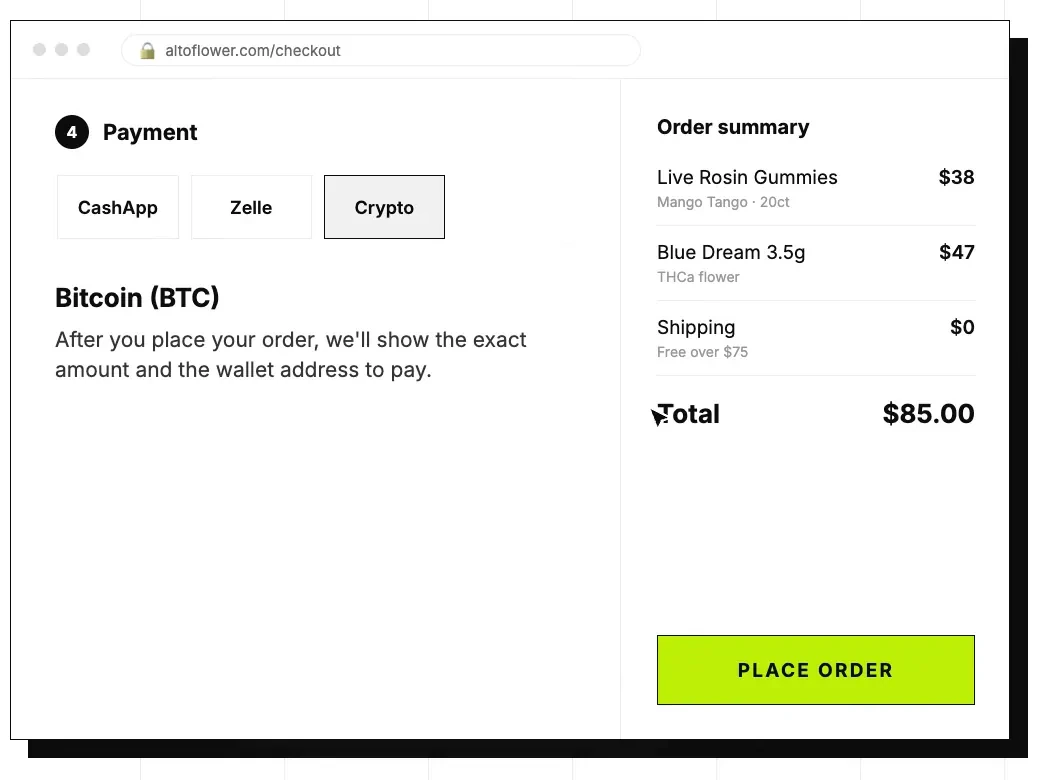
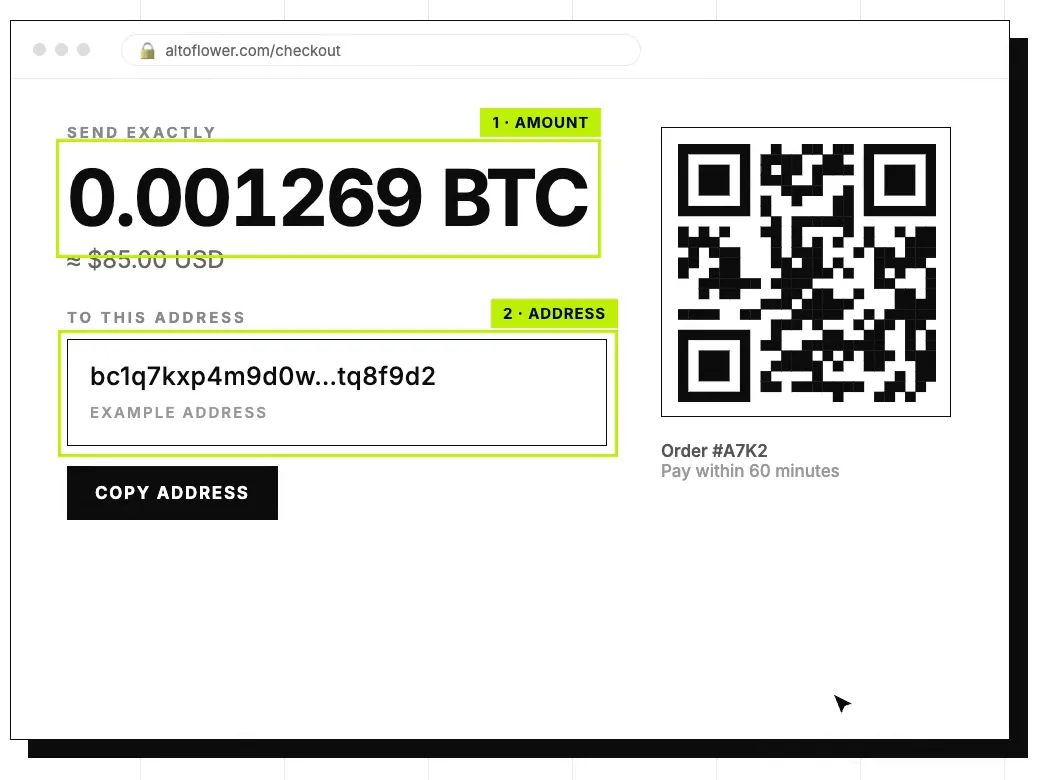
- Buy crypto. Use Cash App or Venmo. It takes a couple of minutes.
- Send it. Paste our address and send the exact amount. Done.
- We ship. Once the network confirms your payment — usually within an hour — we confirm the order and ship it.
Option A: Buy and Send with Cash App
- Open Cash App and tap Bitcoin. It is on the Money screen. Cash App supports Bitcoin (BTC).
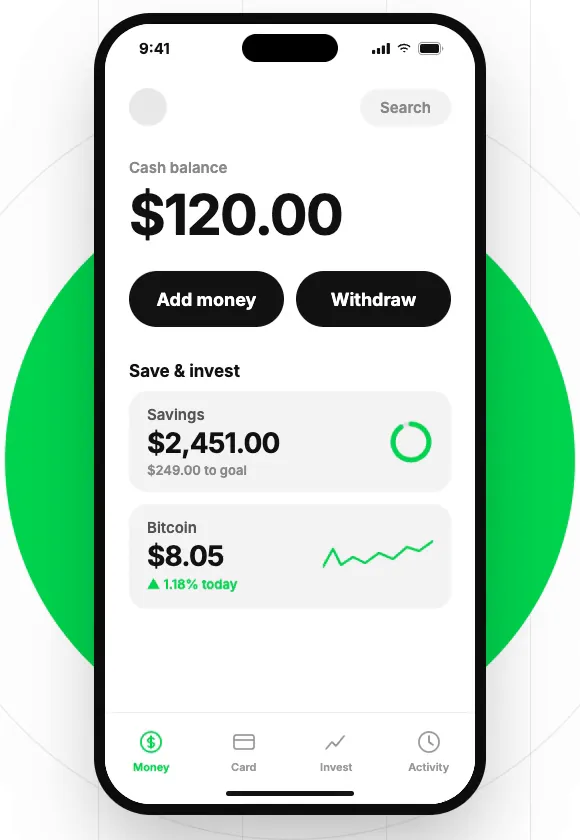
- Tap Buy and enter an amount. If your order is $85, buy about $5 extra to cover fees.
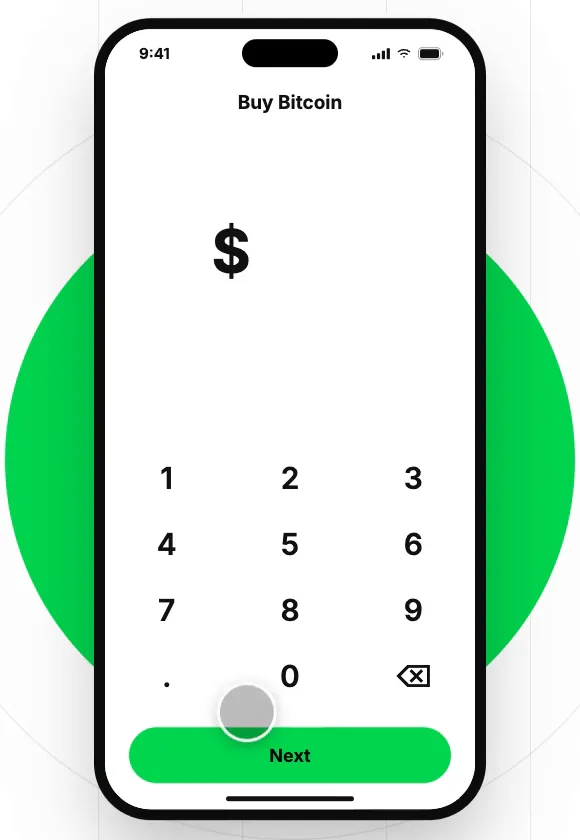
- Confirm the purchase. Use your PIN or Face ID. Your bitcoin lands in seconds.
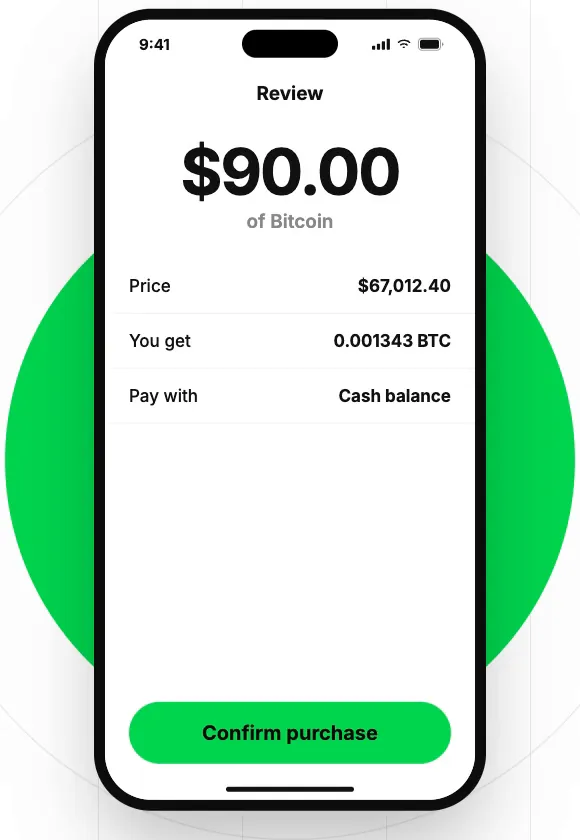
- Tap the arrows, then Send. Paste our address. Copy it from the ALTO checkout page and never retype it.
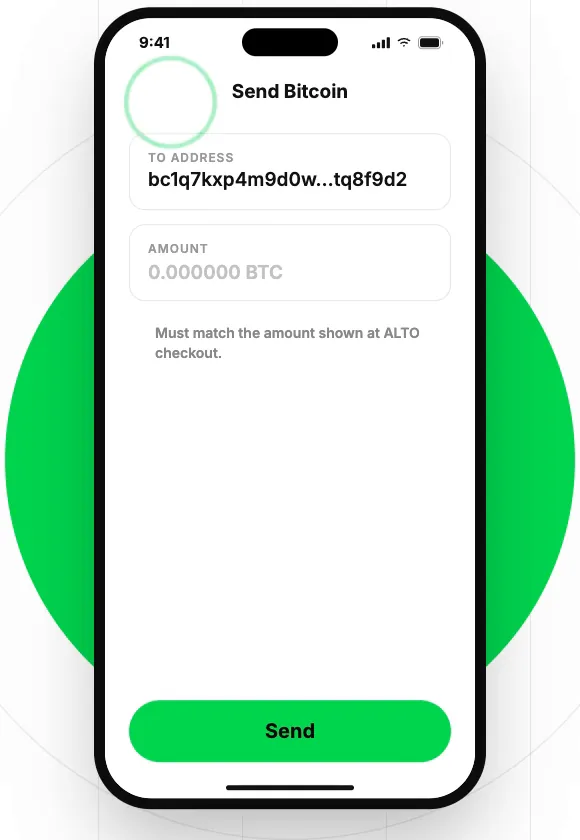
- Enter the exact amount and send. Match the BTC amount from checkout. Pick a transfer speed if asked.
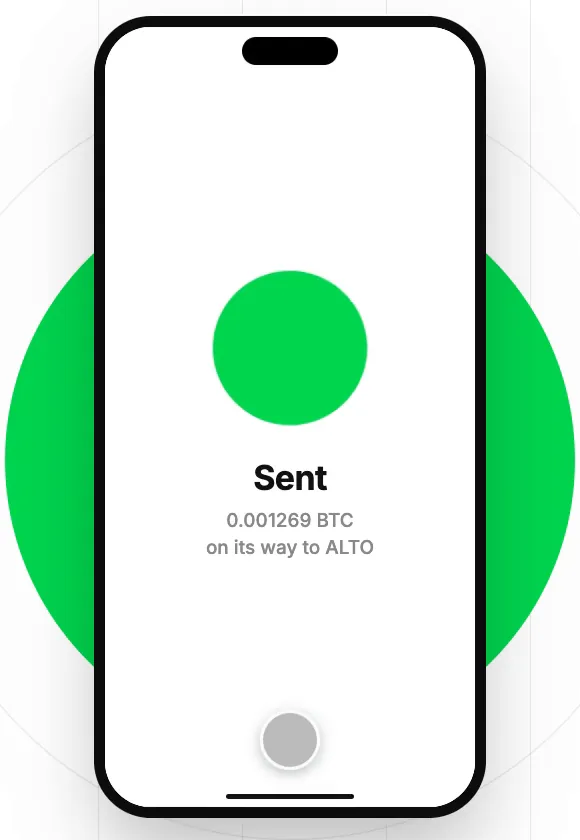
Option B: Buy and Send with Venmo
- Open Venmo and tap Crypto. Pick Bitcoin (BTC). It works with both apps.
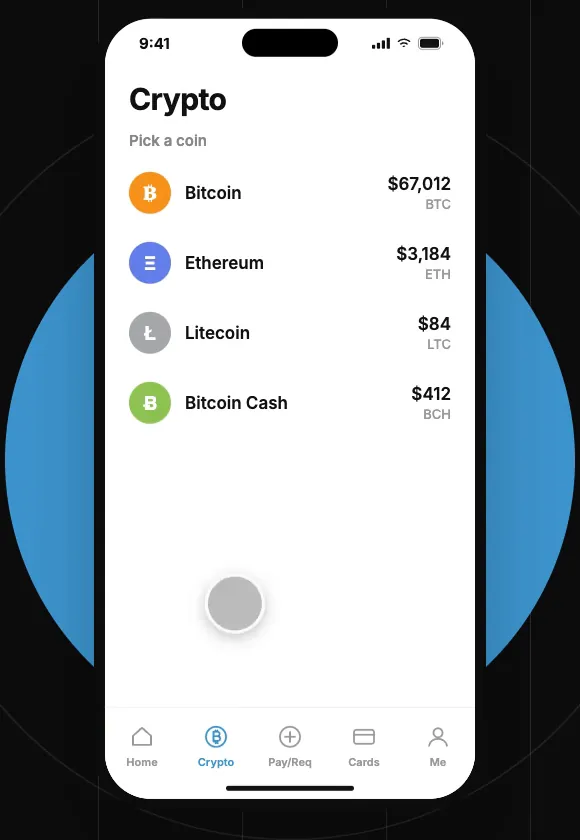
- Tap Buy and enter an amount. If your order is $85, buy about $5 extra to cover fees.
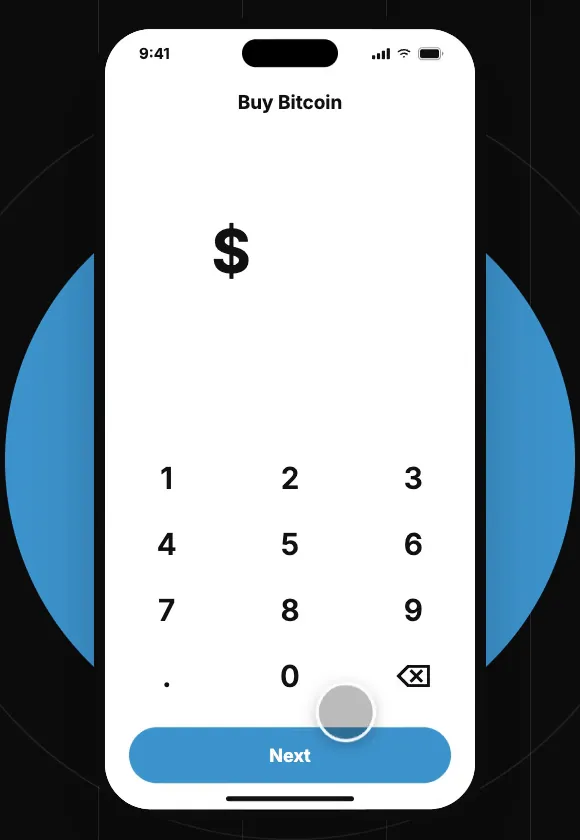
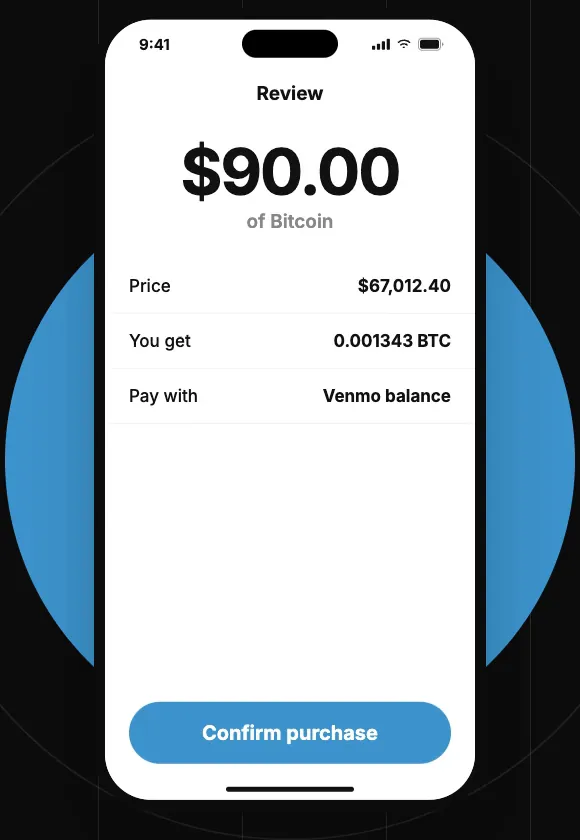
- Review and confirm. Check the amount and confirm with Face ID or your PIN.
- Send it to our address. Open Bitcoin, tap the transfer arrows, choose Send, and paste the ALTO address.
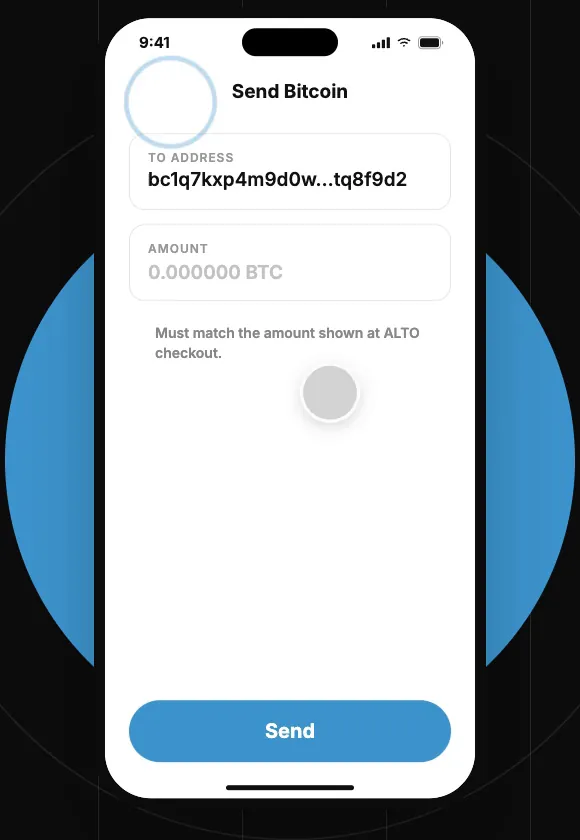
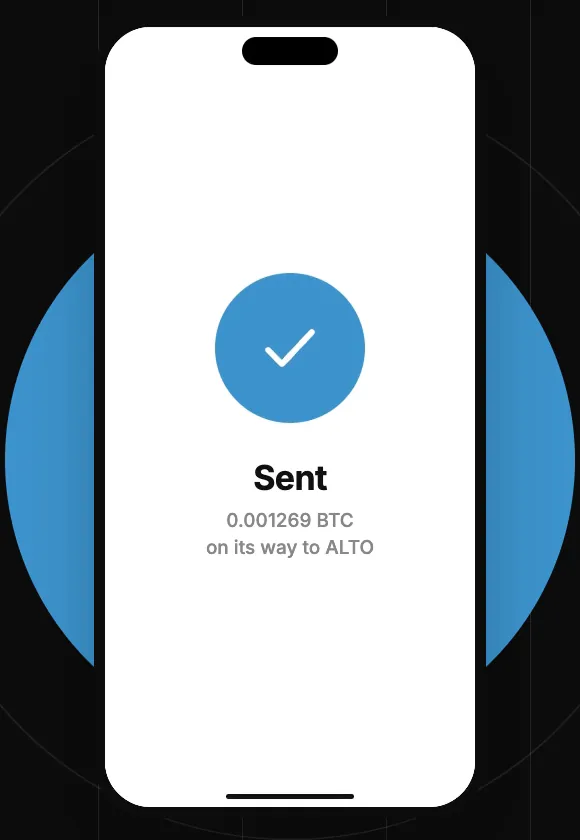
- Enter the exact amount and send. Match the BTC amount from checkout. Check the fee, then send.
Good to Know
- Send the exact amount shown at checkout.
- Double-check the address. Crypto payments cannot be reversed.
- First time? Verify your ID in the app before you order.
- The steps above use Bitcoin. Checkout also accepts ETH, USDT and USDC on Ethereum, and TRX and USDT on Tron.
What Happens After You Send
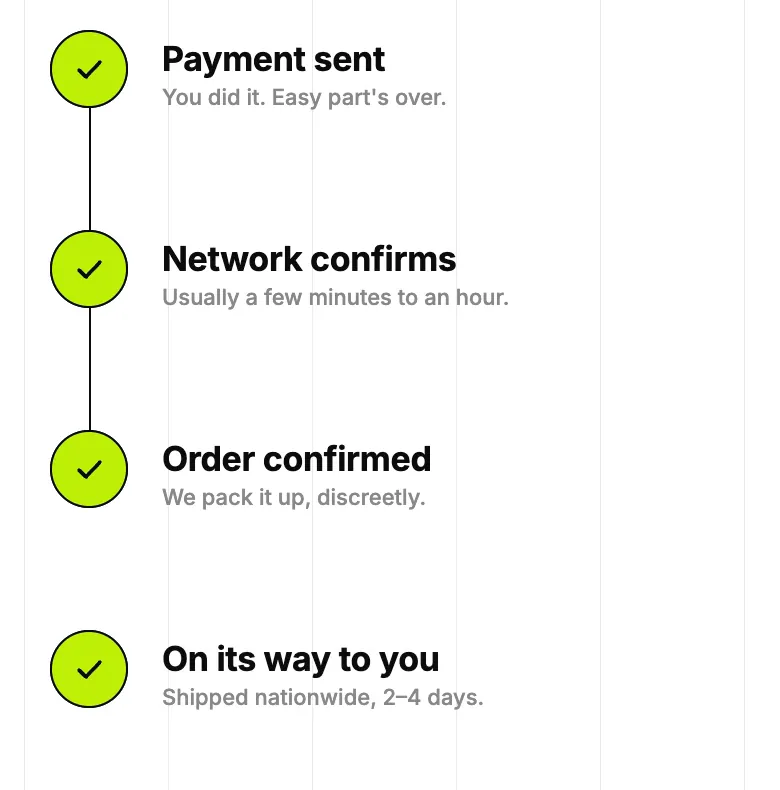
Your payment is sent. The network confirms it, usually in a few minutes to an hour. Then we confirm your order and pack it up, discreetly. You can follow the order from your account, and our support team is there if something looks off.
Ready to order? Browse the menu. See also: payment methods and tracking your order.